Digital Notebook Company
Company
Shop
T&Cs
Shop Online
  • The maker's specifications on every page
  • Free tracked Australia-wide delivery over $99
  • 14-day returns

Digital notebook with smart pen | A5 smart notebook | Bluetooth digital notepad

A5 Digital Notebook with Smart Pen

$239.99 $287.99 Save $48
  • Paper Meets Digital
  • Replay The Context
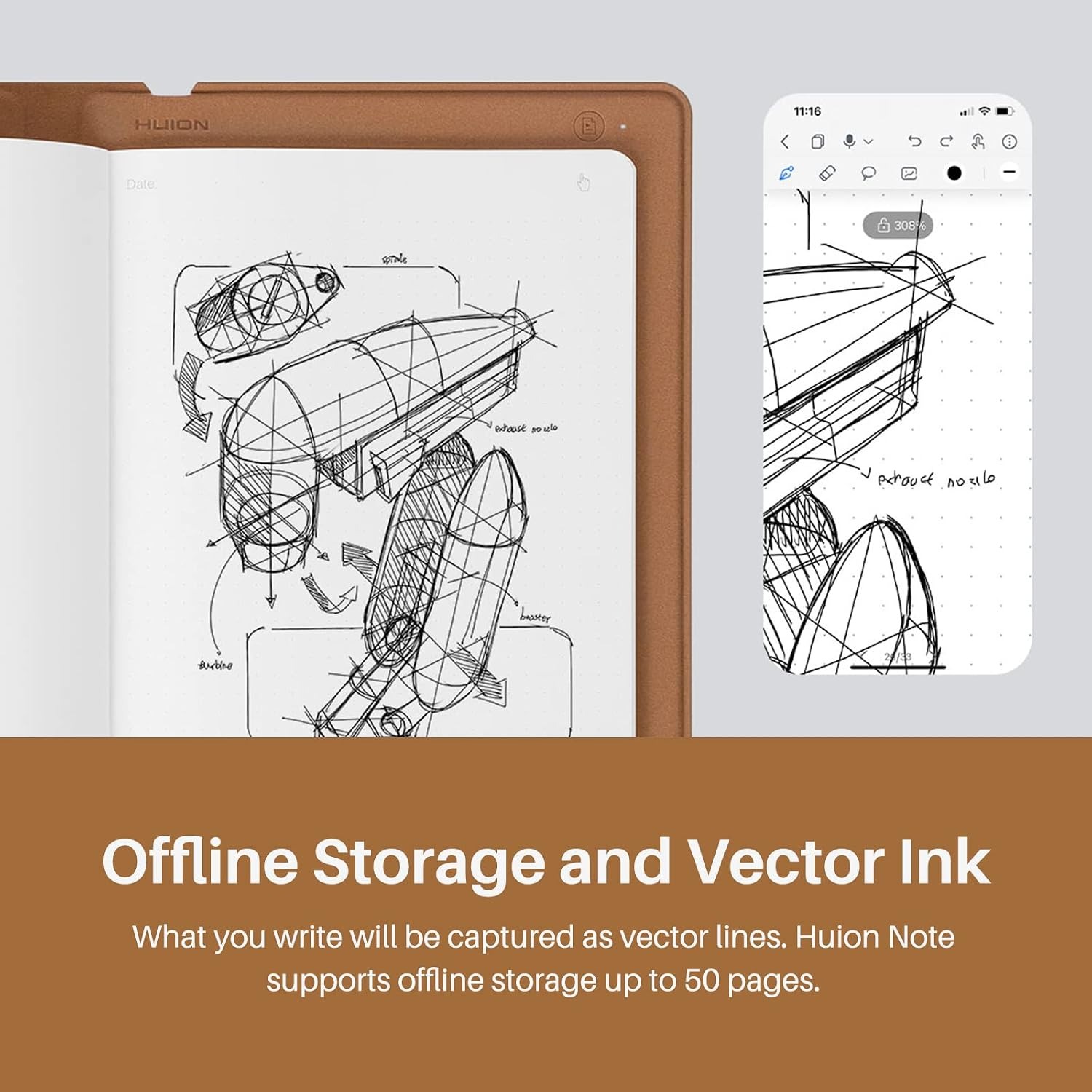
  • Write Away Offline
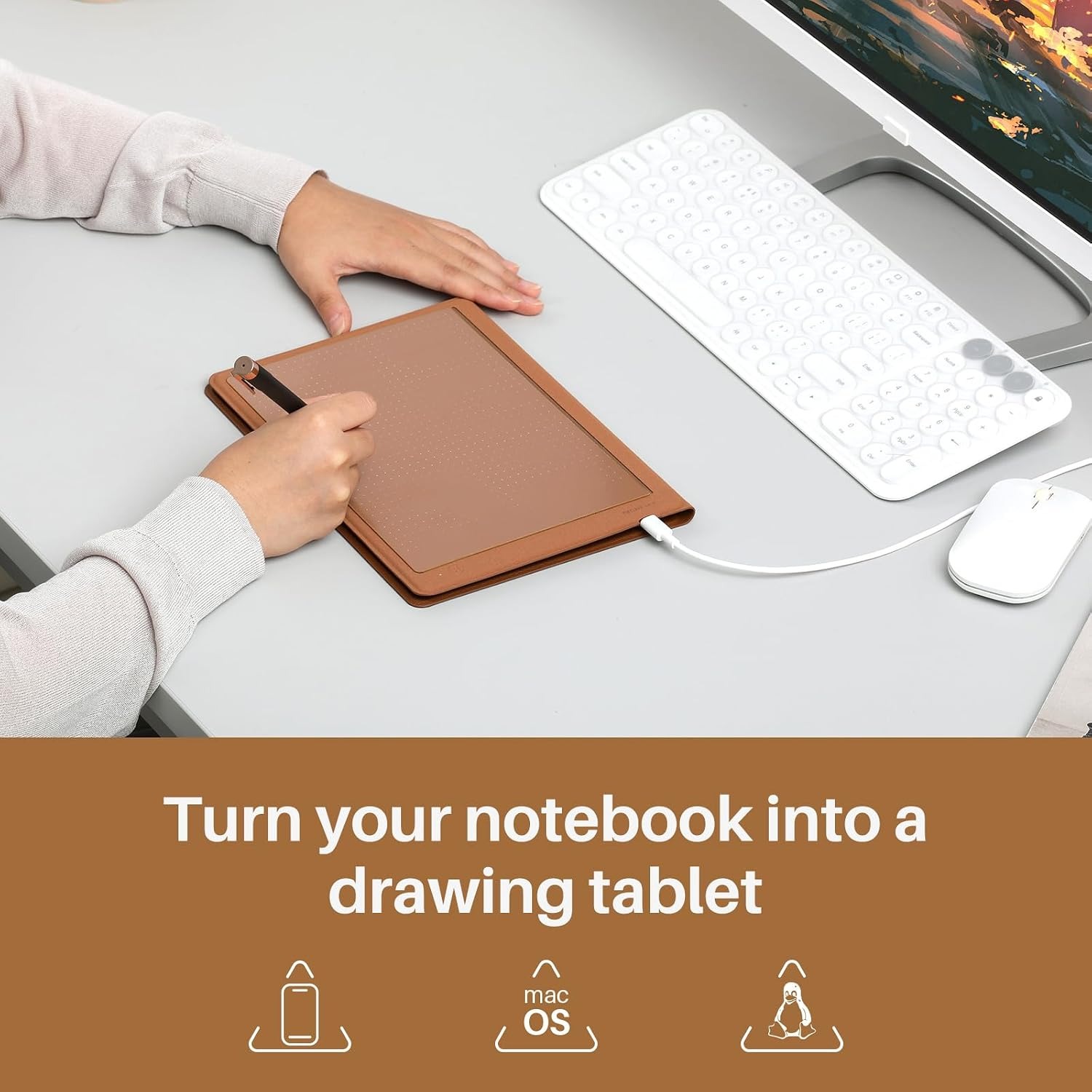
  • Two Working Modes

Price: $239.99 $287.99

  • Free tracked Australia-wide delivery on orders $99+, otherwise a flat $15
  • Pay by card or PayPal, handled by the payment provider
  • 14-day change-of-mind returns from delivery. Conditions and return postage apply. Australian Consumer Law rights are unaffected. Full returns policy
Product specifications
Item TypeDigital Notebook
Paper SizeA5
Product Size241 x 178 x 13 mm
Weight433 g
Working Area186.9 x 140.9 mm
ConnectivityBluetooth 5.0 wireless or USB-C wired
Battery1300 mAh rechargeable lithium-ion, USB-C charging
Battery Life18 hours
PenBattery-free EMR Scribo Pen PW320
Pen Pressure Levels8192
Pen TiltPlus or minus 60 degrees
Pen Resolution5080 LPI
Notebook Mode CompatibilityiOS 11 or later, Android 6.0 or later
Tablet Mode CompatibilityWindows 7 or later, macOS 10.12 or later, Linux (Ubuntu 20.04 LTS)
Included Paper PadA5, 50 pages
Replacement PaperRegular A5 pad under 10 mm thick, maker's replacement pad recommended for fit
Export FormatsImage, PDF, MP4
Box ContentsDigital notebook, A5 paper notebook (50 pages), USB-C cable, magnetic pen sleeve, 3 ballpoint refills, 3 plastic pen nibs, quick start guide
Warranty1 year from the maker
Country Of OriginChina
Weight433 g
Shipping & returns

Tracked delivery anywhere in Australia. It is free on orders of $99 or more, and a flat $15 below that.

If it is not right for you, send it back within 14 days of delivery in resaleable condition and we refund the price you paid, including standard delivery. That is a voluntary policy we offer on top of your legal rights. You cover the cost of returning it unless the item is faulty.

If it arrives faulty, damaged or not as described, we put it right at no cost to you under the Australian Consumer Law and the Competition and Consumer Act 2010, return postage included.

Shipping details · Refunds and returns

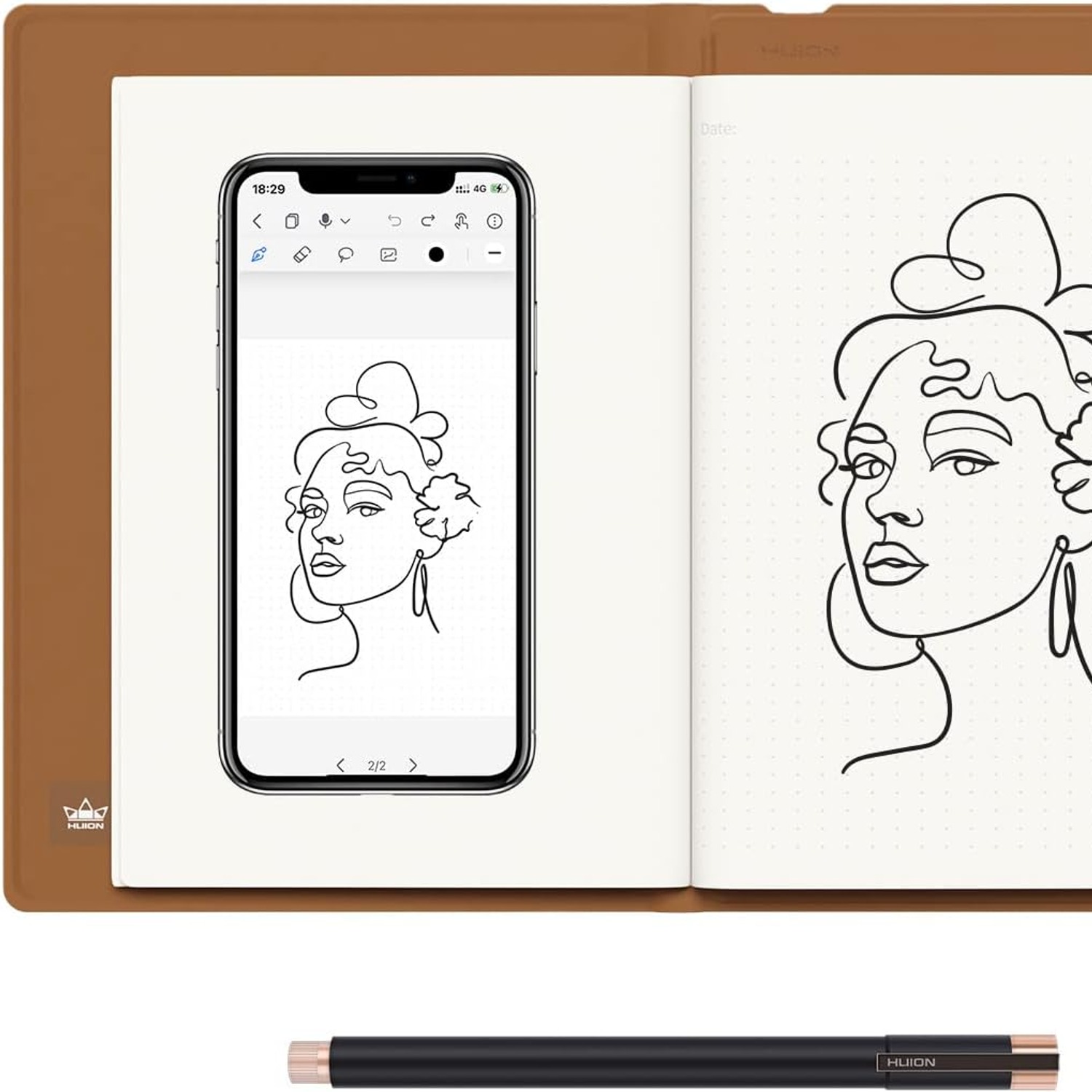
Paper Meets DigitalWrite in ink while capturing a digital copy of your strokes.
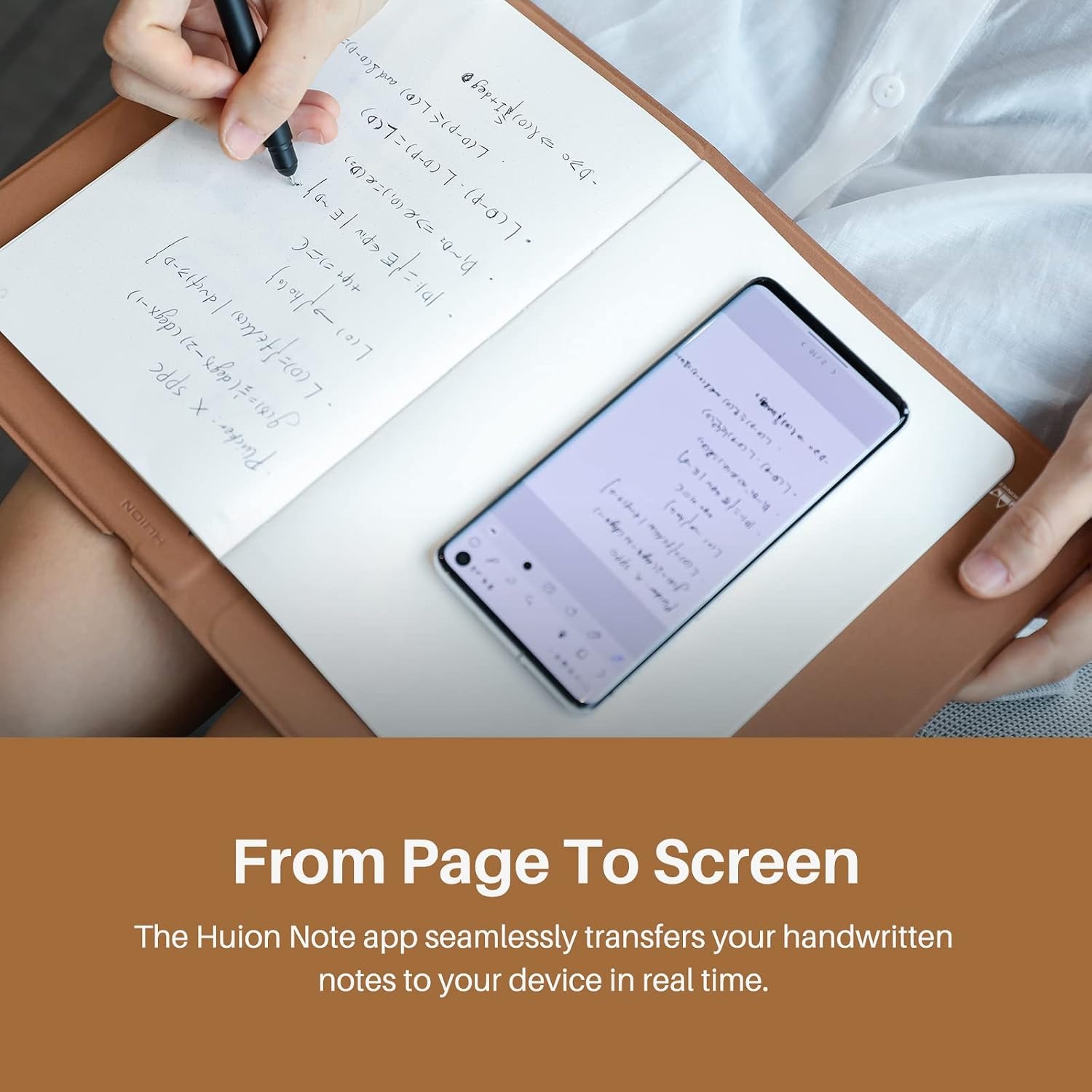
Replay The ContextLink app-recorded audio with the redraw of your notes.
Write Away OfflineSave notes without a nearby phone and sync them later.
Two Working ModesSwitch from paper notes to a computer-connected graphics tablet.

Keep your ideas on paper and within reach with a digital notebook with smart pen.

Write on A5 paper, save digital notes to your phone, and switch to graphics tablet mode for computer work.

Keep the feel of writing on paper while saving a digital copy of your handwriting.

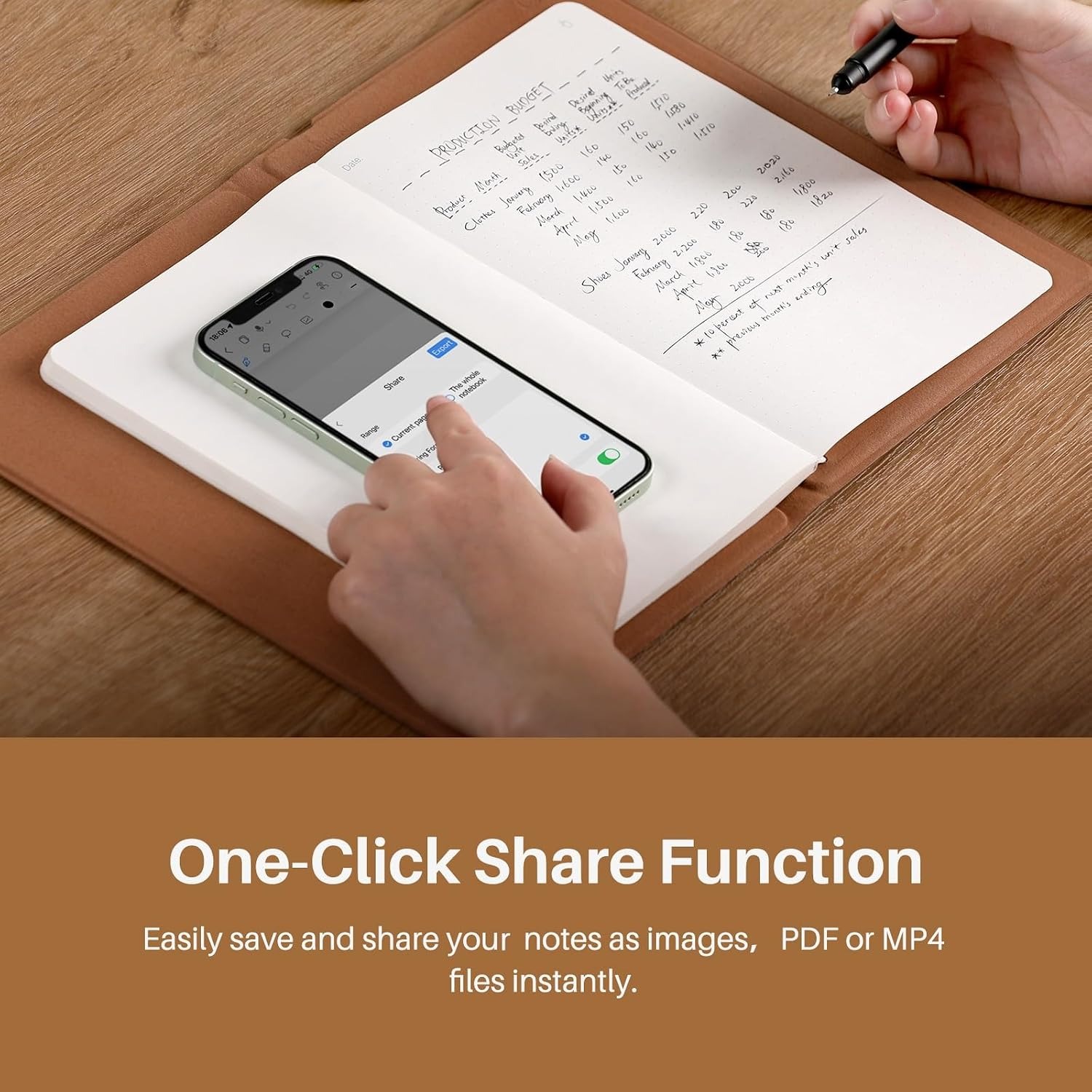
Organise pages in the phone app and share them as images, PDF files or MP4 files.

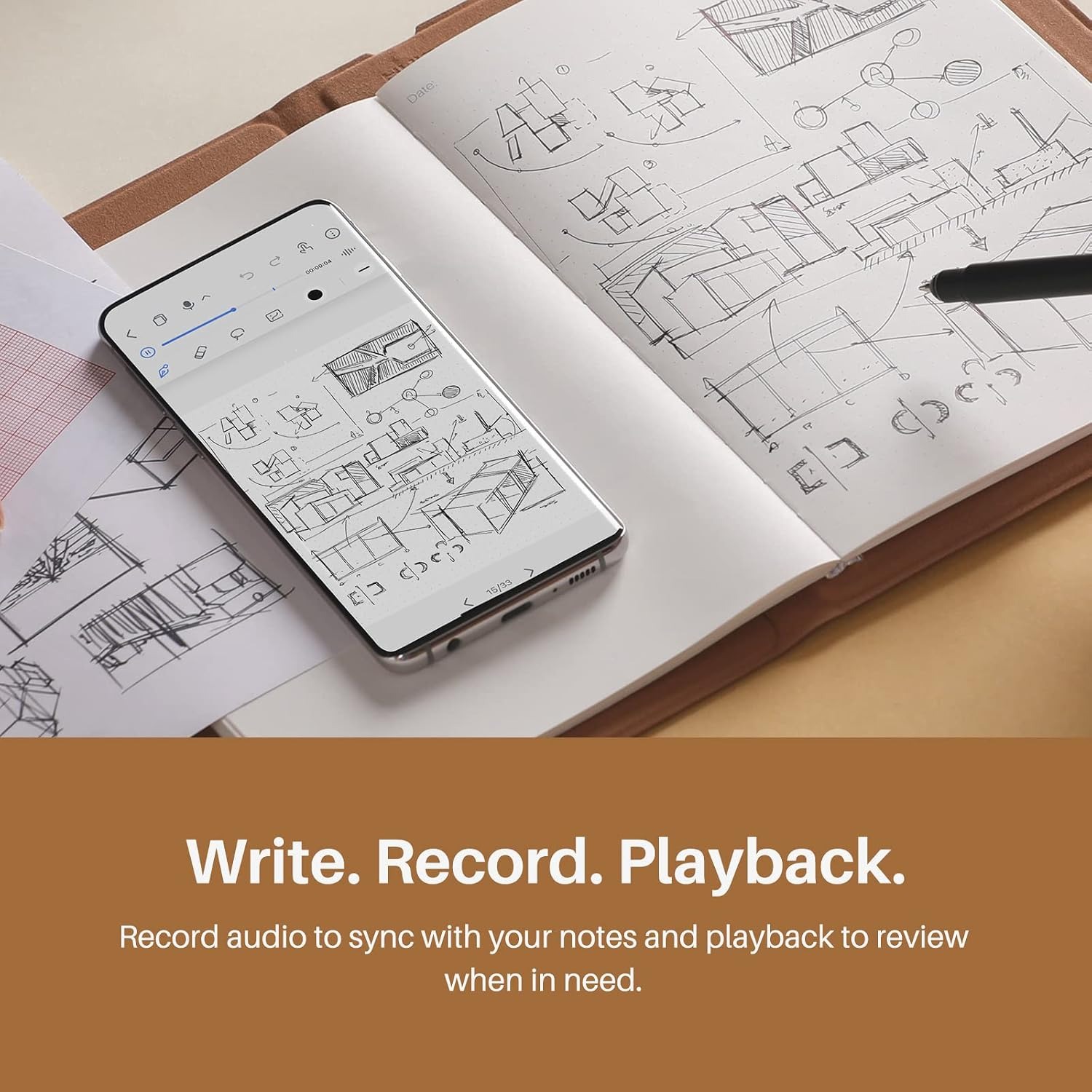
Record audio through your phone microphone and replay it alongside your notes.

Continue writing without your phone nearby, then sync your pages later.

Use the battery-free pen for paper capture or switch to graphics tablet mode on a compatible computer.

A5 Digital Notebook with Smart Pen

Write ideas, meeting notes and sketches on real A5 paper using the supplied smart pen. The notebook captures pen strokes as vector lines, giving you a digital copy of your handwriting through the Huion Note app for compatible iOS and Android devices.

A5 Digital Notebook with Smart Pen

Keep your pages useful after the writing is done. The app lets you merge, split and move pages into groups, with editing tools such as a highlighter. Export notes as images, PDF files or MP4 files when you need to share them.

A5 Digital Notebook with Smart Pen

Add spoken context to written notes by recording audio in the app through your phone's microphone. Playback redraws your notes in sync with the recording, helping you revisit the discussion alongside the marks you made.

A5 Digital Notebook with Smart Pen

Write without keeping your phone beside you, then sync your stored pages to the app later. Bluetooth 5.0 provides a wireless connection, USB-C wired connectivity is also supported, and the notebook has a stated battery life of 18 hours.

A5 Digital Notebook with Smart Pen

For computer drawing, replace the paper pad with the included panel and use graphics tablet mode on a compatible Windows, macOS or Linux computer. The battery-free Scribo Pen PW320 supports 8192 pressure levels, plus or minus 60 degrees of tilt and 5080 LPI resolution.

Not sure yet? That is fine.

A digital notebook has to suit the way you take notes, and you cannot always judge that from a photograph. If it is not right for you, send it back within 14 days of delivery in resaleable condition and we refund the price you paid, including standard delivery. That is on top of your Australian Consumer Law rights if anything arrives faulty.

If it turns up faulty, damaged or not as described, that is on us. The Australian Consumer Law and the Competition and Consumer Act 2010 covers you, and we pay the return postage. Read the full detail on our refunds and returns page, or ask us anything before you order.

Frequently Asked Questions

What is a digital notebook with smart pen?

It is a paper notebook system that captures what you write with its supplied pen. You keep the ink-on-paper original and can sync a digital copy to the phone app.

How does this notebook capture handwriting?

It records strokes from the included Scribo Pen PW320 as vector lines. Those lines are sent to the Huion Note app on a compatible phone.

What size is this A5 smart notebook?

It uses A5 paper and measures 241 x 178 x 13 mm overall. The listed working area is 186.9 x 140.9 mm.

How much does it weigh?

The listed weight is 433 g. Check that figure alongside the overall size when deciding where it will fit in your bag.

What colour is the notebook?

The cover is tan brown, as shown in the photos. It comes in the one colour.

Which pen do I need for digital capture?

Digital capture works only with the included Scribo Pen PW320. A regular ballpoint pen is not a substitute for capturing digital strokes.

Does the smart pen need charging?

No, the supplied pen is a battery-free EMR pen. The notebook itself has a rechargeable battery and charges through USB-C.

How long does the notebook battery last?

The maker states 18 hours of battery life from the 1300 mAh rechargeable lithium-ion battery. It charges through USB-C.

Does it connect through Bluetooth?

Yes, this Bluetooth digital notepad supports Bluetooth 5.0. USB-C wired connectivity is also listed.

Is this a smart notebook for iPhone?

Yes. Notebook mode supports iOS 11 or later through the Huion Note app. Check your iPhone software version before you order.

Can I use it as a Bluetooth notebook for Android?

Notebook mode supports Android 6.0 or later. You use the Huion Note app to sync and manage your notes.

Can I write when my phone is not nearby?

Yes. The notebook stores what you write and syncs it to the app later. The maker states offline storage of up to 50 pages.

How does audio recording work?

The app records sound through your phone's microphone. During playback, your notes redraw in sync with the recording.

Does the notebook record sound by itself?

No. Audio is recorded in the app through your phone microphone, so keep your phone with you when you want sound. Ask permission before you record other people.

Can it turn handwriting into typed text?

The maker does not state handwriting-to-text conversion. Buy it to capture your handwriting as written, and do not rely on text recognition.

Which file types can I export?

The listed formats are image, PDF and MP4. This makes the paper notebook with PDF export useful when you need a file to share.

Can I sync notebook pages directly to my computer?

Notes sync to the phone app only. To use those notes on a computer, export them from the app as PDF.

How can I organise my digital pages?

The app lets you merge, split and move pages into groups. It also includes editing tools such as a highlighter.

Is it suitable as a smart notebook for meetings?

It supports handwritten notes and app-recorded audio with synced playback. Ask for consent before recording other people and follow your workplace rules.

Is it a useful digital notebook for students?

It can capture class notes, assignments and sketches, with files available for export. Check your school or course rules about device use and audio recording first.

Can I use this digital notebook for sketching?

Yes, it captures pen strokes on paper and also has a graphics tablet mode. That mode offers 8192 pressure levels and plus or minus 60 degrees of tilt.

How do I switch to graphics tablet mode?

Replace the paper pad with the panel included in the box, then connect to a compatible computer. Follow the quick start guide for the setup steps.

Which computers support tablet mode?

The listed systems are Windows 7 or later, macOS 10.12 or later, and Linux using Ubuntu 20.04 LTS. These are the tablet-mode requirements, separate from the phone app requirements.

Can I replace the paper pad?

Yes, this refillable A5 smart notebook accepts a regular A5 pad under 10 mm thick. The maker recommends its own replacement pad for the closest fit to the working area.

What comes in the box?

The listed contents are the digital notebook, a 50-page A5 paper notebook, USB-C cable and magnetic pen sleeve. Three ballpoint refills, three plastic pen nibs and a quick start guide are also listed.

How should I care for the notebook?

Keep it dry and wipe the exterior gently with a soft, dry cloth. Protect it from bending and follow the maker's directions for changing refills and nibs.

Does it have a warranty?

The maker gives a one-year warranty. That is on top of your rights under the Australian Consumer Law. Email us if something goes wrong and we will help you with the claim.

When will it arrive, and what are the return terms?

We dispatch within 2 working days. Delivery then takes up to 7 working days by tracked courier, and remote and regional addresses may take longer. Working days leave out weekends and public holidays. Delivery is free on orders of $99 or more and a flat $15 under that. You can return it within 14 days of delivery, unused and in resaleable condition with its packaging and accessories, for a full refund including standard delivery. This is on top of your rights under the Australian Consumer Law. Email us first and we will send you return instructions.

Would it make a good gift?

It may suit someone who likes handwritten notes and wants digital copies. Check their phone compatibility and whether they are comfortable using an app before choosing it as a gift.

What if it is not right for me?

You can return it within 14 days of delivery, unused and in resaleable condition with its packaging and accessories, for a full refund including standard delivery. This is on top of your rights under the Australian Consumer Law. Email us first and we will send you return instructions.

A Buyer's Guide to an A5 Digital Notebook with Smart Pen

6 min read Digital Notebook Company

Paper is often the quickest place to catch an idea. The harder part comes later, when you need to share a page, find the right notes or remember what someone said beside a sketch. A photo can help, but it leaves you with another file to sort.

This digital notebook with smart pen keeps the paper part of that habit. You write in ink on an A5 pad while the system captures your pen strokes for the phone app. It is worth considering if you want digital copies without moving all your writing onto a screen.

The key is knowing what it does and where its limits sit. Phone-based note syncing and computer graphics tablet use are separate modes, each with its own setup.

How paper becomes a digital note

The supplied Scribo Pen PW320 is central to the system. As you write on paper, the notebook captures its strokes as vector lines. The Huion Note app receives those lines on a compatible phone, giving you a digital version of your handwriting.

This is a handwriting capture notebook, not a promise of typed text. The maker does not state handwriting-to-text conversion. If your main goal is turning pages into editable text documents, do not assume this product will meet that need.

You also need to keep using the supplied pen for capture. An ordinary pen may leave ink on the page, but digital capture works only with the included model. That distinction matters if you tend to borrow a pen or switch between several favourites.

Check your phone before choosing

Notebook mode supports iOS 11 or later and Android 6.0 or later. The app is where you sync, organise and export your notes, so phone compatibility should be your first check.

For someone seeking a smart notebook for iPhone, the listed iOS requirement is a starting point. Check your phone's software version before buying. Apply the same check if you want a Bluetooth notebook for Android.

Bluetooth 5.0 provides wireless connectivity, and USB-C wired connectivity is also supported. The notebook charges through USB-C as well. A cable is included.

Think about whether you are happy to manage notes on your phone. That is the main note library described here, rather than a direct computer-sync service.

Writing without your phone nearby

You do not have to keep the phone beside the notebook every time you write. Offline storage lets you capture pages and sync them to the app later.

That can suit a desk session where you want fewer phone interruptions, or a moment when you simply have the notebook to hand. It preserves the option to write first and deal with the digital copy afterwards.

The maker states offline storage of up to 50 pages. Before relying on an offline digital notebook for important work, practise the capture and sync process with a few sample notes.

A small test also helps you learn the page routine before using it in a busy class or meeting.

Adding sound to your written notes

A short note may make sense during a conversation and feel vague the next day. The audio feature offers a way to retain some of that spoken context.

Recording takes place in the app through your phone's microphone. When you replay it, your notes redraw in sync with the sound. This links what you wrote with the discussion happening at the time.

If you want a notebook with audio recording, remember that the phone is part of that process. Offline handwriting capture does not mean the notebook records sound on its own.

Always ask permission before recording others. Workplaces, schools and private meetings may have rules about recording or storing conversations. The feature is useful only where you are allowed to use it.

Organising and sharing the results

Once notes are in the app, you can merge, split or move pages into groups. Editing tools include a highlighter. These options let you sort the digital copy after the writing session rather than having to plan every page in advance.

A smart notebook for meetings could hold rough discussion notes on paper, with related pages grouped later. For study, you might organise captured pages by topic instead of leaving everything in writing order.

The listed export formats are image, PDF and MP4. Choose a format that suits the person receiving it and the way they need to view the work.

Notes sync only to the phone app. To use them on a computer, export them from the app as PDF. Do not confuse that workflow with the separate computer drawing mode.

Will the size suit your writing?

The notebook measures 241 x 178 x 13 mm and weighs 433 g. Its paper size is A5, while the stated working area is 186.9 x 140.9 mm. Those are different measurements, so compare the working area with the space you actually use for writing or drawing.

An A5 smart notebook may suit short notes, task lists and smaller sketches. If you usually spread large diagrams across a broad sheet, consider how much space you would have here.

Try placing an A5 pad beside your current notebook before deciding. Write a typical paragraph or sketch a familiar diagram. That simple check can tell you more about the format than a product photo.

Also compare the outer dimensions with the pocket or bag compartment where you plan to carry it.

Paper refills and pen care

The included A5 paper notebook has 50 pages. When it is used up, the system accepts a regular A5 pad under 10 mm thick.

Fit still matters. The maker recommends its own replacement pad for the closest match to the working area. A pad labelled A5 is not a reason to ignore its thickness or position.

The pen is battery-free, which removes one charging task. The notebook itself has a 1300 mAh rechargeable lithium-ion battery and a stated battery life of 18 hours.

Three ballpoint refills and three plastic pen nibs are listed in the box. Follow the maker's directions when changing them. Store the pen in its magnetic sleeve so it is easier to keep the correct capture pen with the notebook.

Using it as a graphics tablet

This dual mode digital notebook has a second role beyond paper capture. Replace the paper pad with the included panel and connect it to a compatible computer to use graphics tablet mode.

The listed computer systems are Windows 7 or later, macOS 10.12 or later, and Linux using Ubuntu 20.04 LTS. Check those requirements separately from the mobile app requirements.

The pen specifications include 8192 pressure levels, plus or minus 60 degrees of tilt and 5080 LPI resolution. These figures describe the pen input available for this mode. They are not a promise that every drawing program behaves in the same way.

A graphics tablet notebook may appeal if you want paper notes and computer drawing in one product. If you only need one of those jobs, weigh that need more heavily than the extra mode.

Who is it most likely to suit?

People who already enjoy handwriting have a clear reason to consider this format. It keeps real paper in the process while adding digital storage and sharing through the app.

A digital notebook for students can help collect handwritten class work and sketches. A meeting user may care more about audio-linked playback and PDF exports. Someone drawing at a computer may put more weight on tablet mode.

It is less suited to a buyer who expects automatic typed text, direct note syncing to a computer or an app-free digital workflow. Those expectations do not match what the maker states.

For gifting, check the recipient's phone and habits first. A thoughtful match matters more than the number of functions on the specification list.

Everyday care and purchase checks

Keep the notebook and pen away from spills. Use a soft, dry cloth for the exterior and avoid bending the notebook or packing heavy objects against it. Follow the quick start guide for charging and mode changes.

Before ordering, confirm phone compatibility, replacement paper fit and the export workflow you need. The cover is tan brown, as shown in the photos.

The maker gives a one-year warranty. We dispatch within 2 working days, and delivery then takes up to 7 working days by tracked courier. You have 14 days from delivery to return it if it is not right. Check those details before choosing it for a deadline or gift.

The short version

This paper to digital notebook suits someone who wants to keep writing by hand and manage digital copies on a phone. It combines A5 paper capture, offline storage, audio-linked playback and several export formats, with a separate graphics tablet mode for compatible computers.

Choose it for those stated features. Check your devices, keep the supplied pen with the notebook, and learn the sync routine before relying on it for important notes.

Browse the shop

Prefer paper but need digital copies?

Check your phone compatibility and note-sharing needs to see whether this A5 notebook fits the way you work.

Ask us a question

Page summary

This A5 digital notebook captures handwriting made with the supplied battery-free Scribo Pen PW320 on real paper. Notes sync to the Huion Note phone app on iOS 11 or later and Android 6.0 or later, with offline capture and later syncing supported. The app offers page organisation, audio recording through the phone microphone, synchronised note playback, and image, PDF and MP4 exports. Connectivity includes Bluetooth 5.0 and USB-C. The notebook measures 241 x 178 x 13 mm, weighs 433 g, and has a stated 18-hour battery life. Graphics tablet mode supports compatible Windows, macOS and Linux computers. A 50-page A5 pad is included. The cover is tan brown.